MDS Communication Subsystem
In this page, the ability to model a Communication Subsystem in MDS is provided. Using these functionalities, you can:
- Fully Model transceiver parameters
- Integrate custom antennae models
- Fully simulate link budgets from ground/air/space to moving and stationary targets
- Evaluate link pathing in satellite constellations
- Test different pointing modes and their impact on analysed links
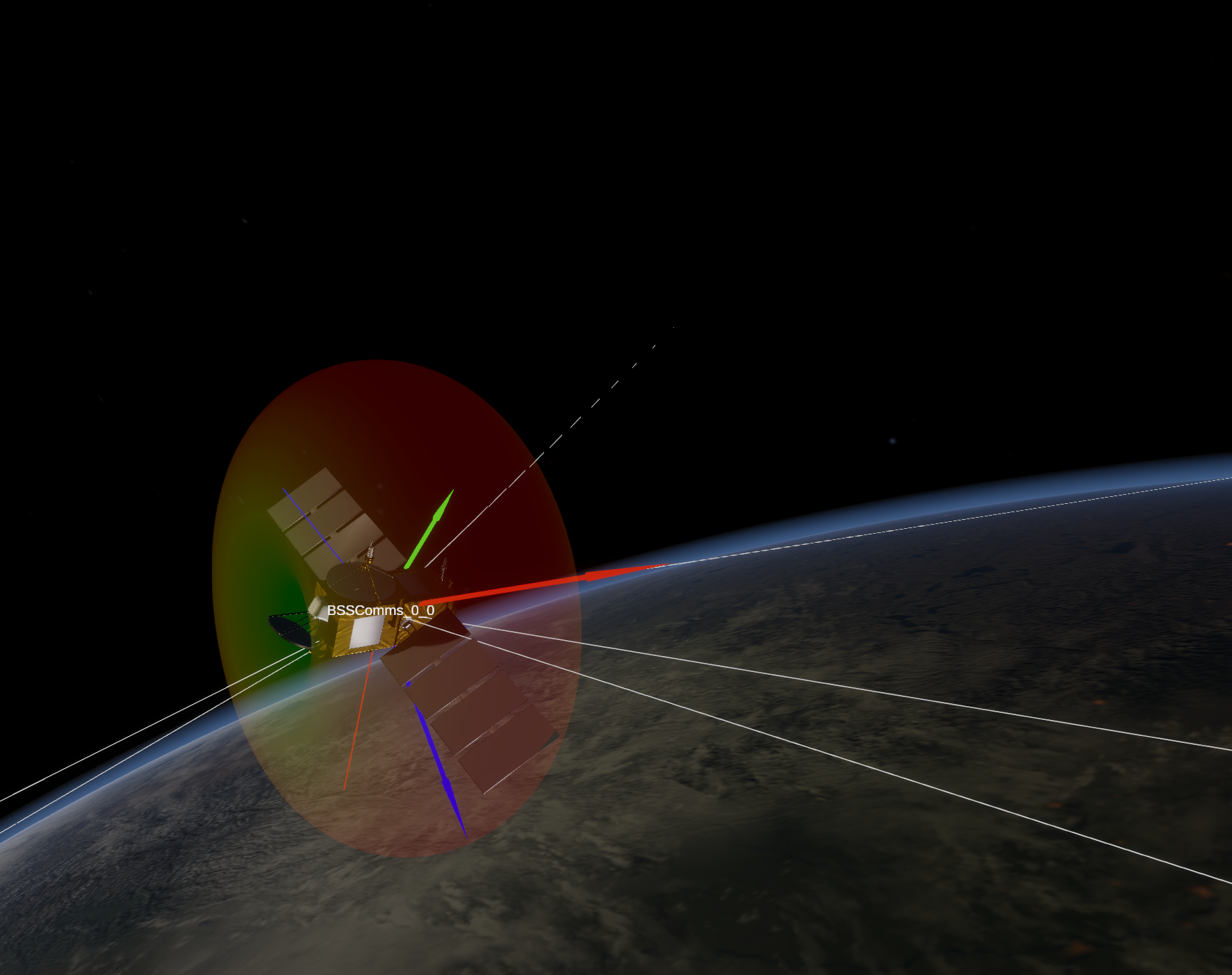
Below is an screenshot of MDS computing intersatellite links in a Walker-constellation with the default antenna gain pattern.
How MDS calculates uplink and downlink budgets
When calculating link budgets, several parameters are taken into account: free space loss, gas loss, antennae gains, and transmission power.
Space loss
Space loss is calculated as follows:

where distance is the distance between the satellite and GS and txWavelength is the transmission wavelength of the radio.
Gas loss
Gas loss calculations consist of calculating:
- Gas specific attenuation for dry air and water vapor
- Equivalent heights for dry air and water vapor
- Total path attenuation
Gas specific attenuation
MDS for gas specific attenuation use an approximatimated model from Annex 2 of ITU-R P.676
How to use the Radio Subsystem?
To use the radio subsystem, you need to define ground stations (GS) and configure each satellite's radio subsystem. This includes two main steps:
- Ground station: Defining the location, type, and frequencies for GS.
- Satellites radio: Configuring a radio subsystem for each satellite.
These functions should be called after the satellite has been added to the scene using
mds_api.add_sat()ormds_api.add_sat_from_elements.Each satellite can have multiple numbers of radios attached to it.
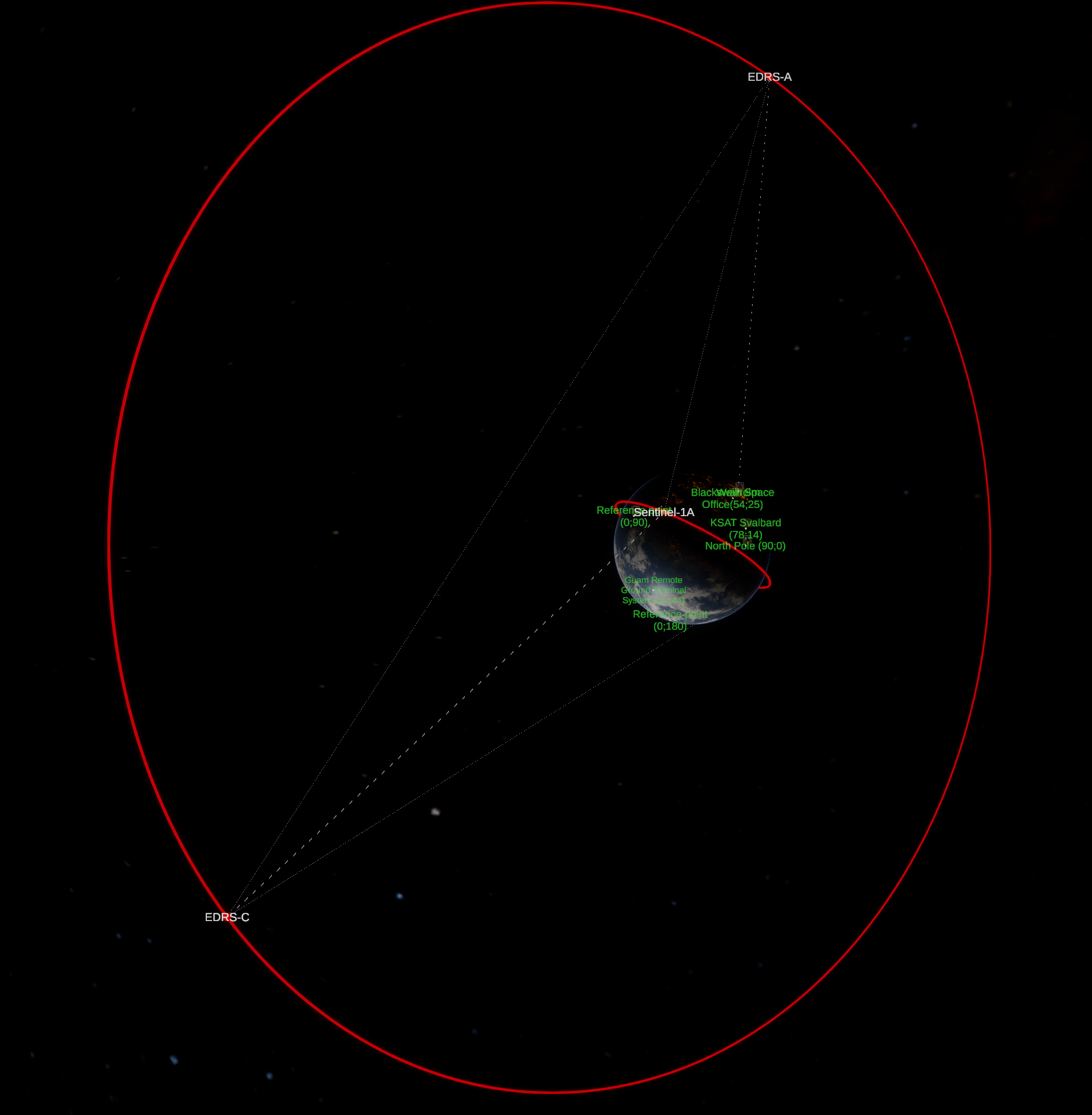 Example Space-Space-Ground-Air data downlink scenario in
 example_intersat_link.py.
Component Functions
The following functions are available for configuring the radio subsystem.
1. Defining Ground Assets
Adds a stationary or moving ground asset to the simulation scene.
mds_api.add_ground_asset(
    asset_name: str,
    centralBody: str,
    longitudeDeg: float | str,
    latitudeDeg: float | str,
    altitudeMeters: float,
    canFly: bool = True,
    maxSpeed:float = 250.0,
    maxAscentRate: float=12.0,
    loopWaypoints: bool=True,
    waypoints = None,
    currentWaypointIndex: int | None = None,
    tx_frequency: float=2047 * 1e6,
    rx_frequency: float=8250 * 1e6,
    radius: float=10,
    r: int=255, g: int=255, b: int=255,
    assetType: int = 1,
    print_debug:bool = False
) -> bytes
Arguments:
asset_name(str): name of your ground asset.centralBody(str): central body of the asset.longitudeDeg(float or str): longitude, in degrees [deg or ° o ′ ″ N/S].latitudeDeg(float or str): latitude, in degrees [deg or ° o ′ ″ N/S].altitudeMeters(float): altitude in meters, above sea level [m].canFly(bool, optional): is the asset allowed to lift off above 0m altitude? (default=True).maxSpeed(float, optional): maximum speed in m/s (default=250).maxAscentRate(float, optional): maximum speed in m/s, at which the asset can ascend/descend (default=12).loopWaypoints(bool, optional): Whether to loop waypoints. If True, then upon reaching the last waypoint will redirect to the first one. Otherwise, will stop at the last waypoint. (default=True).waypoints(list or None, optional): list of waypoints or None. If you provide a list, waypoints will be updated. If you provide None, waypoints are not modified. Create each item in the list using the function create_ground_asset_waypoint. (default=None).currentWaypointIndex(int or None, optional): index of waypoint that the ground asset is currently heading to. Place the index of waypoint, -1 to make the asset stop or None to not modify the current value. (default=None).tx_frequency(float, optional): Transmission frequency in Hz (default = 2047 MHz).rx_frequency(float, optional): reception frequency, in Hz (default = 8520 MHz).r, g, b(int, optional): color of the spherical marker, as byte from 0 to 255. (default = 255, 255, 255).assetType(int, optional): ground asset type. Only affects the icon displayed, does not affect behaviour. Please see mds_api.ground_asset_types for possible values. (default = 1 (Station)).print_debug(bool, optional): Whether to print debug information (default = False).
2. Creating waypoint for moving ground asset
mds_api.create_ground_asset_waypoint(
    name:str,
    longitudeDeg: float,
    latitudeDeg: float,
    altitudeMeters:float,
    speed:float = -1,
    ascendAndHold:bool = True
) -> dict:
Creates a dictionary representing a waypoint that defines a moving ground asset path (e.g., a flying aircraft).
Arguments:
name(str): name for the waypoint.latitudeDeg(float or str): latitude, in degrees. Can be given as a float, or a string of format [deg]o[minutes]'[seconds]''[N/S]. For example, "55o32'29''N".longitudeDeg(float or str): longitude, in degrees. Can be given as float or a sting of format [deg]o[minutes]'[seconds]''[N/S]. For example, "23o59'17''N".altitudeMeters(float): altitude above sea level [m].speed(float, optional): maximum speed at which approacinh this waypoint is allowed. If set to -1, then the ground asset's own maximum speed is used [m]. (default: -1).ascendAndHold(bool, optional): manner, in which the ground asset ascends to the waypoint altitude. Only affects ground assets that can fly. If ascendAndHold is true, then the asset ascends at the maximum allowed ascent rate and continues to the waypoint at the waypoint's altitude. If this parameter is false, then the asset ascends/descends gradually to the waypoint. (default=True).
These dicts should be put in one list and passed to the
waypointsargument ofadd_ground_asset():
plane_waypoints = [[-150.2162437, -9.0647081, 10000.0],
                    [-142.6879321, -4.3910715, 12000.0],
                    [-128.9310243, -2.4615025, 11000.0],
                    [-114.0512424, -9.4479349, 13000.0],
                    [-110.9443850, -21.1836432, 10000.0],
                    [-116.2424763, -31.9640584, 11000.0],
                    [-139.0125999, -31.2813534, 12000.0],
                    [-152.8628620, -21.2041973, 11000.0]]
  name_plane = "Flying observatory"
  tx_frequency_plane= 25.5e9 # [Hz], Ka-band
  rx_frequency_plane = 26.56e9 # [Hz], Ka-band
  i = 0
  waypoint_list = []
  for x in plane_waypoints:
      waypoint_list.append(mds_api.create_ground_asset_waypoint(f'Waypoint{i}', x[0], x[1], x[2], speed=-1, ascendAndHold=False))
      i += 1
  mds_api.add_ground_asset(name_plane, 'Earth', plane_waypoints[0][0], plane_waypoints[0][1], plane_waypoints[0][2],
                           canFly=True, maxSpeed=300, maxAscentRate=16, loopWaypoints=True, waypoints=waypoint_list,
                           tx_frequency=tx_frequency_plane, rx_frequency=rx_frequency_plane, assetType=5)
3. Adding radio subsystem to a satellite
Attaches a radio communication subsystem to an existing spacecraft in the simulation.
mds_api.add_radio(
    sat_name: str,
    orientation: list[float],
    antenna_input_power: float,
    tx_frequency: float,
    rx_frequency: float,
    comms_law: str="Nearest",
    antenna_pattern_path: str="",
    friendlyStations: list[str]=[],
    friendlySpacecraft: list[str]=[]
) -> bytes:
Arguments:
sat_name(str): name of the spacecraft, for which to add the radio.orientation(list[float]): orientation quaternion w.r.t. the spacecraft.antenna_input_power(float): the power fed into the antenna input [W].tx_frequency(float): transmission frequency [Hz].rx_frequency(float): receive frequency [Hz].antenna_pattern_path(str, optional): path to an antenna radiation pattern csv file. Path can be absolute, or if it is not absolute, it will be interpreted as relative to/MDS_Solaris_Data/StreamingAssets/. (default = "")comms_law(str, optional): sets the communication law for the radio subsystem (for more information, see below). (default = "Nearest").friendlyStations(list[str], optional): list of friendly station names. Is only relevant if comms_law is "Friendly".friendlySpacecraft(list[str], optional): list of friendly spacecraft names. Is only relevant if comms_law is "Friendly".
comms_lawhave three possible values: *"Nearest": radio subsystem will communicate with the nearest station or spacecraft. *"AllAvailable": radio subsystem will communicate with all GS and spacecraft. *"Friendly": radio subsystem will communicate with GS and spacecraft which names are respectively in thefriendlyStationsandfriendlySpacecraftlists.
4. Getting data from MDS
To obtain data about satellites power subsystem, you need to use mds_api.get_sat_data():
try:
    _, sat_data = mds_api.get_sat_data(name_sat)
    radio_data = sat_data["spacecraftData"]["radios"][0]
except Exception as e:
    print(e)
try:andexecpt:statements are only necessary whenmds_api.get_sat_data()is called multiply times in quick succession in a loop.
[0]insat_data["spacecraftData"]["radios"][0]is an id number of radio. Change it to get data from other radios onboard (if they exist).
After that data could be accessed directly with radio_data["<data_name>"].
Replace <data_name> with the desired parameter. The full list of parameters is provided below.
<data_name>commsLaw- set communication law. Response contains int value from 0 to 2 which corresponds to the following values:- 0 – Nearest
- 1 – AllAvailable
- 2 – Friendly
antennaInputPower- antenna input power [W].orientation- radio orientation quaternion.antennaType- not used (MDS 1.4.1).radiationPatternPath- file path to a radiation pattern file.txFrequency- transmission frequency [Hz].rxFrequency- receive frequency [Hz].friendlyStations- list of friendly GS names.friendlySpacecraft- list of friendly spacecraft names.stationsInSight- list of GS names that are in sight.stationsAvailableTransmit- list of GS names that can receive signals from the spacecraft.stationsAvailableReceive- list of GS names that can transmit signals to the spacecraft.radiosAvailableTransmit- list of spacecraft that can transmit signals to this spacecraft. Response contains a dictionary with spacecraft names as keys and a list of radios ids as values.radiosAvailableReceive- list of spacecraft that can receive signals from this spacecraft. Response contains a dictionary with spacecraft names as keys and a list of radios ids as values.communicatingWithStations- response contains a dictionary for each GS with which satellites communicate. This dictionary consists of a GS name as a key and data which contains:isEarth- boolean value which indicates whether the GS is an Earth station.rangeVector- a range vector from the spacecraft to the GS.zenithAngle- zenith angle between the spacecraft and the GS.phi- azimuth angle between the spacecraft and the GS.theta- elevation angle between the spacecraft and the GS.downlinkFrequency- downlink frequency of the radio [W].uplinkFrequency- uplink frequency of the radio [W].stationEIRP- EIRP of the station [dB].upllinkBudget- uplink budget of the radio [dB].downlinkBudget- downlink budget of the radio [dB].statationAntennaGain- antenna gain of the station [dB].
communicatingWithRadios- response contains a dictionary for each target satellite with which origin satellite communicates. This dictionary consists of a target satellites name as a key and data which contains:name1- name of the origin satellite.name2- name of the target satellite.phi1- azimuth angle from origin satellite to target satellite.theta1- elevation angle from origin satellite to target satellite.phi2- azimuth angle from target satellite to origin satellite.theta2- elevation angle from target satellite to origin satellite.rangeVector- a range vector from the origin satellite to the target satellite.downlinkBudget- downlink budget of the radio [dB].uplinkBudget- uplink budget of the radio [dB].