API Installation
The API is installed via Help_API_and_Examples\install_mds_api_venv_windows.bat for Windows users
and Help_API_and_Examples\install_mds_api_venv_linux.shfor Linux users.
The installer automatically takes care of the following:
- Checks and if needed, downloads and installs Python 3.11.9
- Installs TUDAT resources in the home directory and verifies its size
- Creates a virtual environment mds_python
- Installs external Python dependencies in requirements.txt
- Installs the custom mds_api library
If all succeeds, it activates the venv and prints the installed API version:
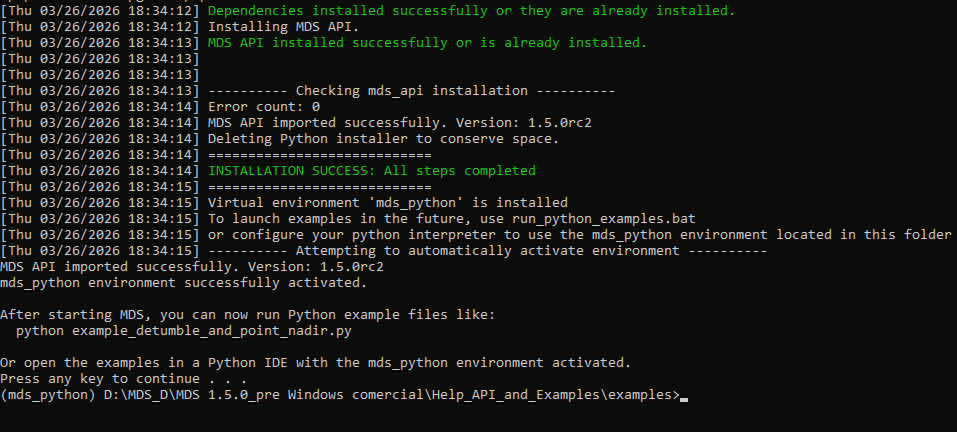
Manual installation
If administrator privileges are not available in your organization or the script fails to install the API, you can install the API manually with access to pip and Python.
Open up a terminal window in the 'Help_API_and_Examples' folder and follow these steps:
Windows manual installation
Copy the Tudat\data.tudat folder located in the main MDS folder to UserName.tudat
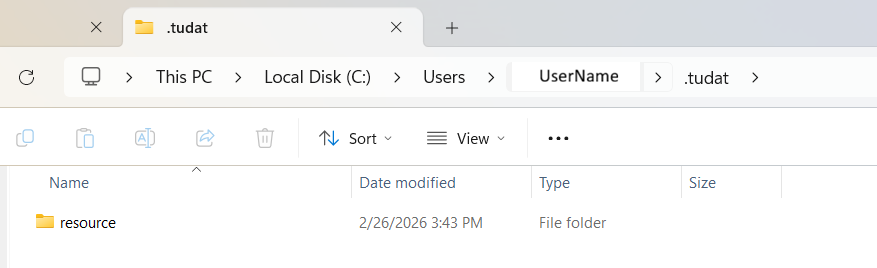
Minimal Python version required: 3.11. Download python from:
https://www.python.org/ftp/python/3.11.9/python-3.11.9-amd64.exe
During installation please install/modify and select the prompts:
SELECT CUSTOM INSTALLATION
- Check box "py launcher" to Install python launcher for all users
- Check "Add Python to environment variables"
Make sure Python installation path is in user PATH in your windows environment. Also check if Python Scripts path is in user PATH in your windows environment.
Create mds_python virtual environment in the Help_API_and_Examples folder:
py -3.11 -m venv mds_python
Install dependencies from requirements.txt with:
mds_python\Scripts\python.exe -m pip install -r requirements.txt
Install MDS API with the .whl file located in mds_api\dist\ (note: find the exact file name as it may change depending on the MDS version):
mds_python\Scripts\python.exe -m pip install mds_api\dist\mds_api.whl
When all of the steps are complete, try running Python examples with:
run_python_examples.bat
Linux manual installation
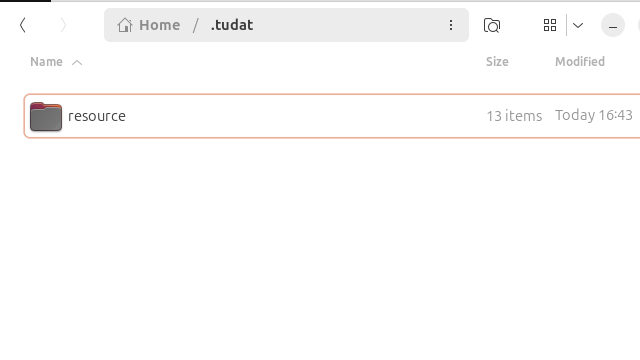
Copy the Tudat\data.tudat folder located in the main MDS folder to $HOME/.tudat
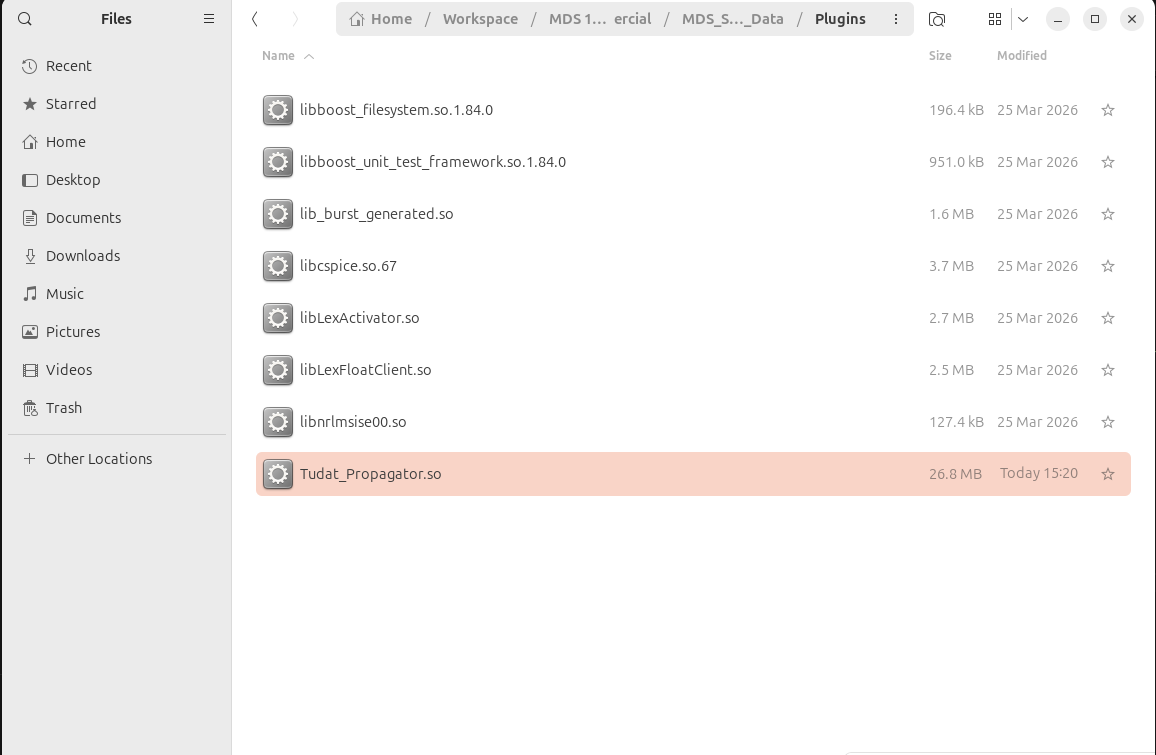
Find Tudat_Propagator in ../MDS_Solaris_Data/StreamingAssets/, rename and move it to ../MDS_Solaris_Data/Tudat_Propagator.so
Make sure these build dependencies are installed:
build-essential libssl-dev zlib1g-dev libbz2-dev libreadline-dev
libsqlite3-dev libffi-dev liblzma-dev uuid-dev tk-dev libncurses5-dev
libncursesw5-dev xz-utils curl ca-certificates libxml2-dev libxmlsec1-dev
You can check with:
dpkg -s package-name
Install them with:
sudo apt-get update -qq
sudo apt-get install -y -qq package-name
Install pyenv in your machine:
curl https://pyenv.run | bash
Minimal Python version required: 3.11. Download python via terminal:
$HOME/.pyenv/bin/pyenv install -s 3.11.9
Make Python 3.11 available globally:
$HOME/.pyenv/bin/pyenv global 3.11.9
Create mds_python virtual environment in the Help_API_and_Examples folder:
$HOME/.pyenv/versions/3.11.9/bin/python3.11 -m venv mds_python
Make sure pip and wheel setup is up-to-date and available:
mds_python/bin/python -m pip install --upgrade pip setuptools wheel
Install dependencies from requirements.txt with:
mds_python/bin/pip install -r requirements.txt
Install MDS API with the .whl file located in mds_api/dist/ (note: find the exact file name as it may change depending on the MDS version):
mds_python/bin/pip install mds_api/dist/mds_api.whl
When all of the steps are complete, try running Python examples with:
run_python_examples.sh
Don't forget to add execution rights to the MDS Solaris executable!
chmod +x MDS_Solaris.x86_64