Event Scheduler
The Event Scheduler allows you to create satellite events based on Time, Geolocation, True Anomaly, and Altitude.
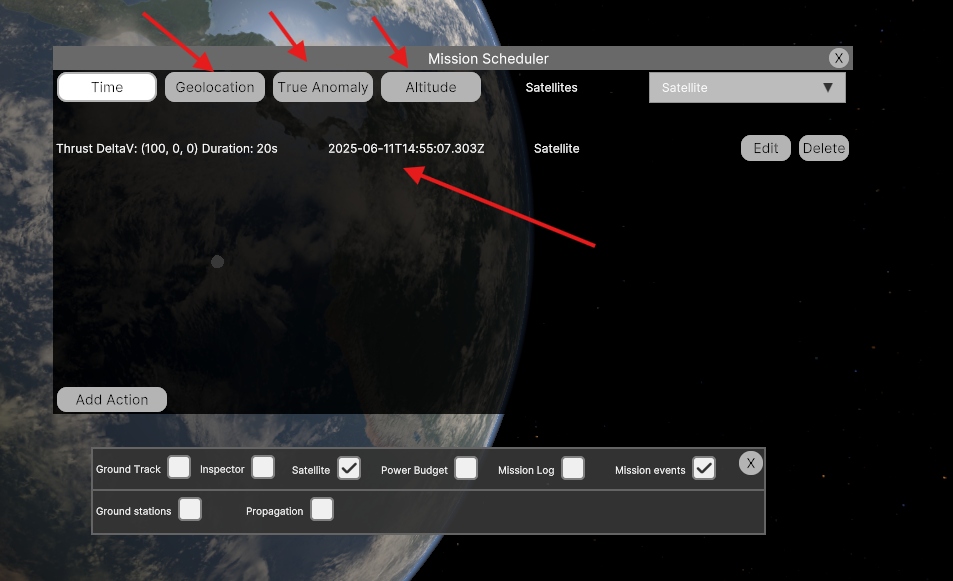
Creating an Event
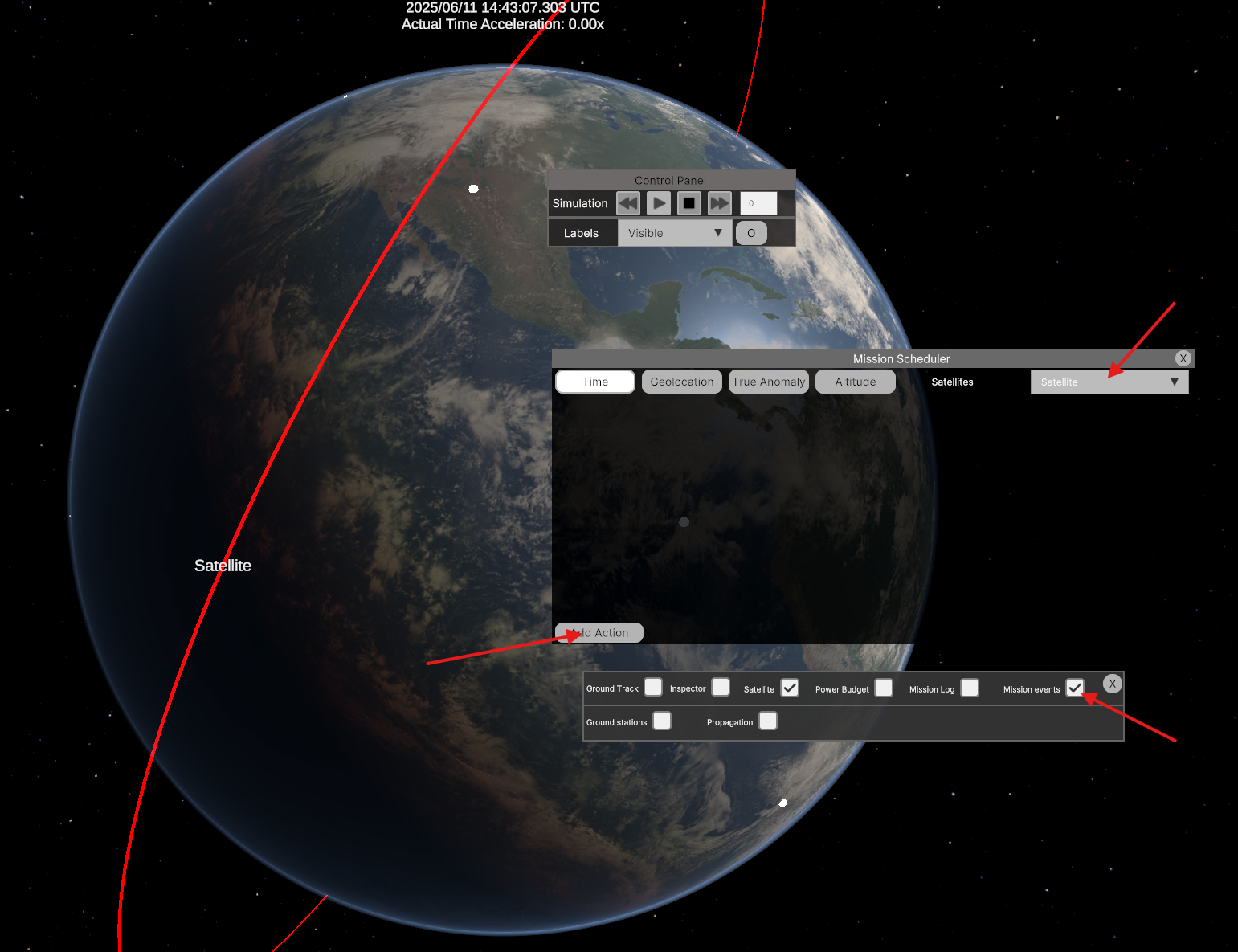
In the Mission Scheduler dialog, choose the type of event you want to create. Select a satellite from the dropdown menu in the top-right corner of the dialog, then click the Add Action button in the bottom-left corner.
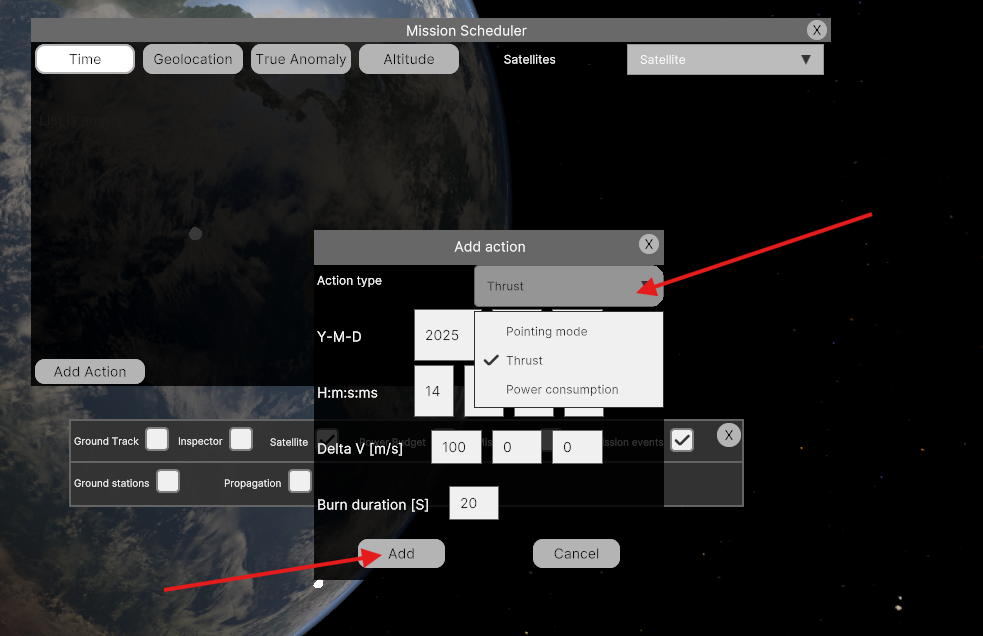
Depending on the selected event type, an Action Dialog will appear. Currently, you can assign the following three actions:
Pointing Mode
– Changes the satellite's pointing mode.
Thrust
– Applies thrust to the satellite.
Power Consumption
– Sets the satellite’s current power consumption.
Note: Every time an event is triggered, MDS sends a network callback to connected clients. For more details, refer to the "MDS Server & Callback Server" section.